RHILEX 接入联犀物联网平台
联犀是一个基于 golang 实现的轻量级物联网平台,具备数据存储,设备接入,设备管理、物模型等功能。RHILEX 有强大的数据处理能力和外部系统接入能力,本文主要展示如何通过 RHILEX 边缘规则引擎将 Modbus 数据推送到联犀物联网平台。
新建产品
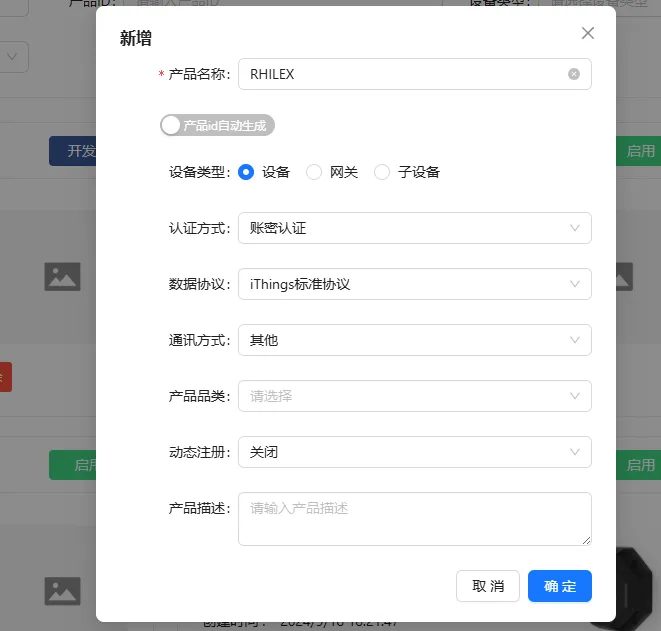
首先在联犀系统内新建一个网关产品:
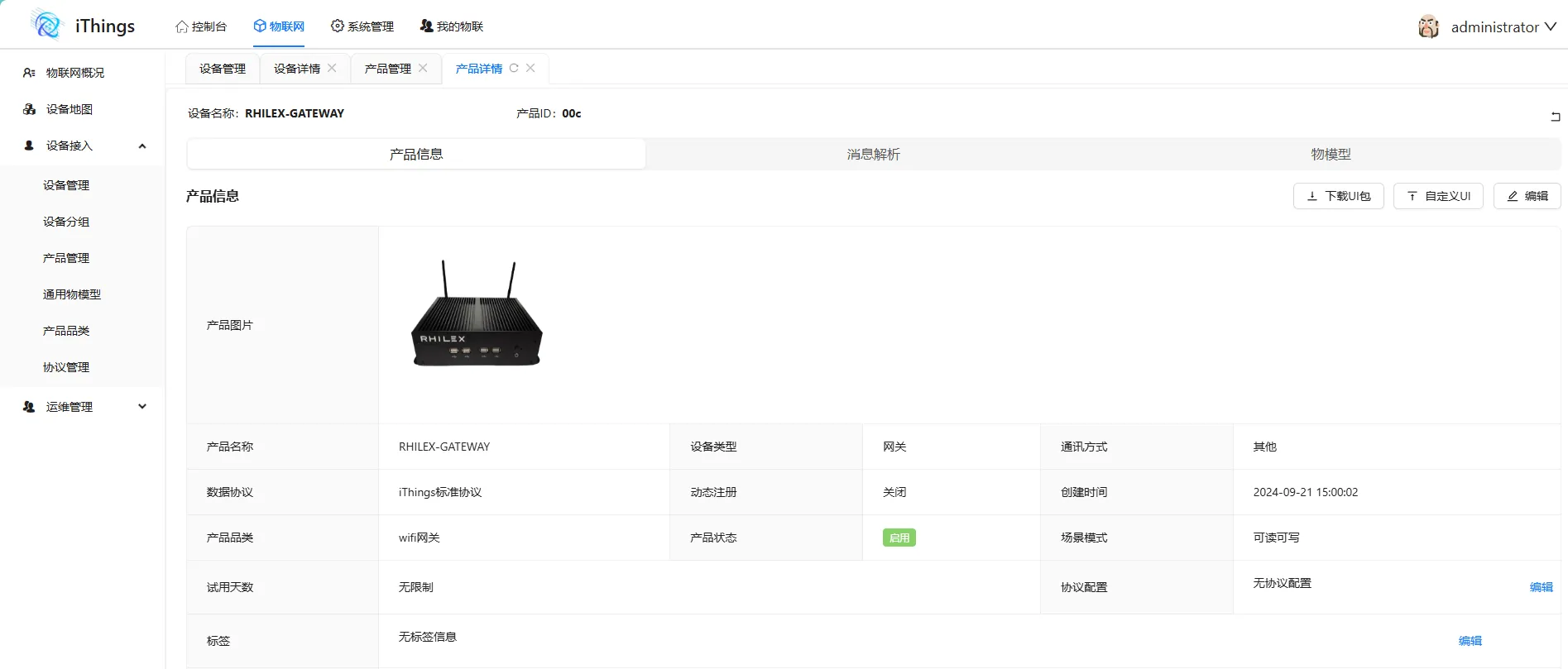
新建成功后联犀会生成一个产品示例:
新建物模型
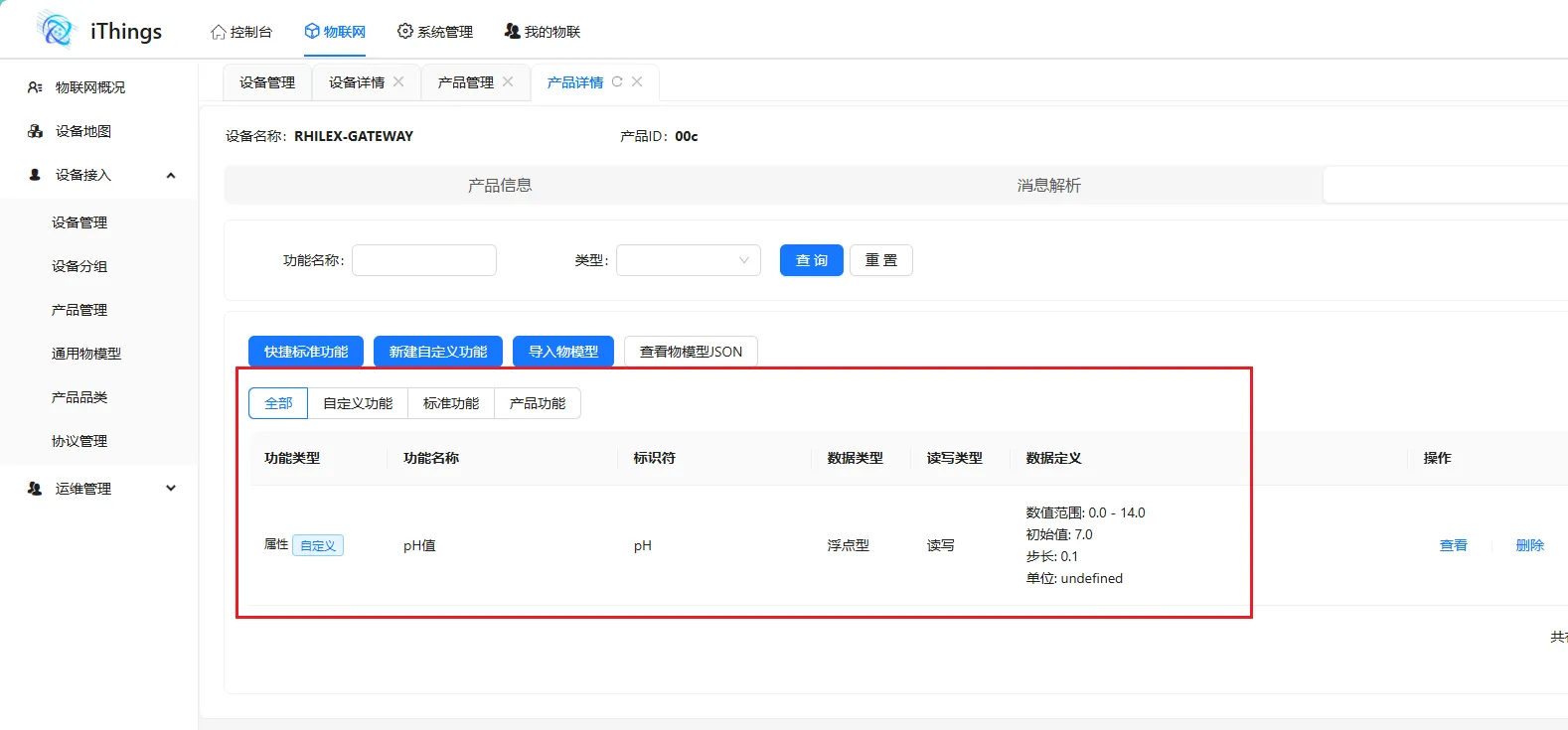
然后根据自己的数据字段来新建物模型。建好的物模型如下所示:
新建设备
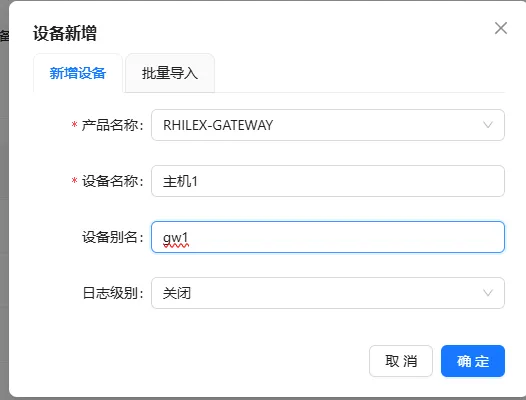
产品设计完成以后新建一个设备。
新建设备完成后即可在列表查看:

设备接入
接下来在 RHILEX 端新建联犀接入。首先在联犀平台找到对应的产品 ID、设备名、秘钥,然后填入资源配置参数里面即可。
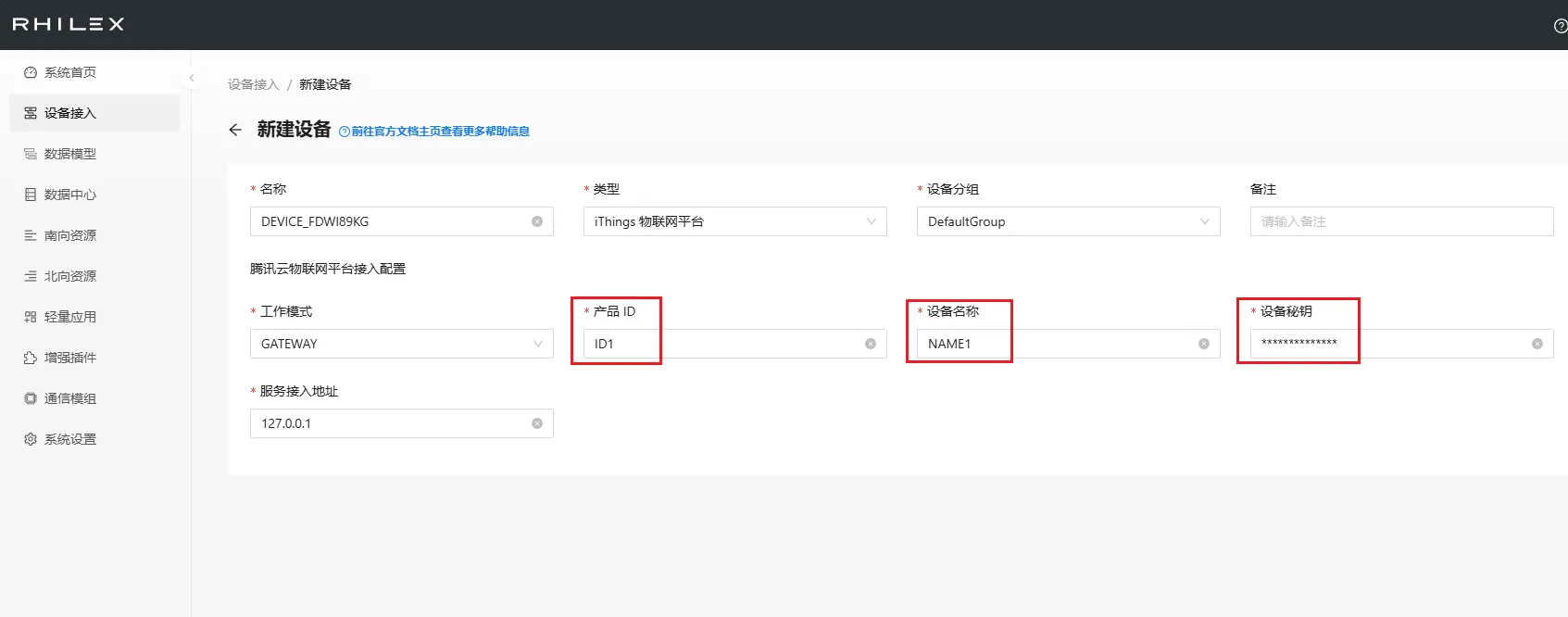
新建成功以后就会生成一个接入资源:
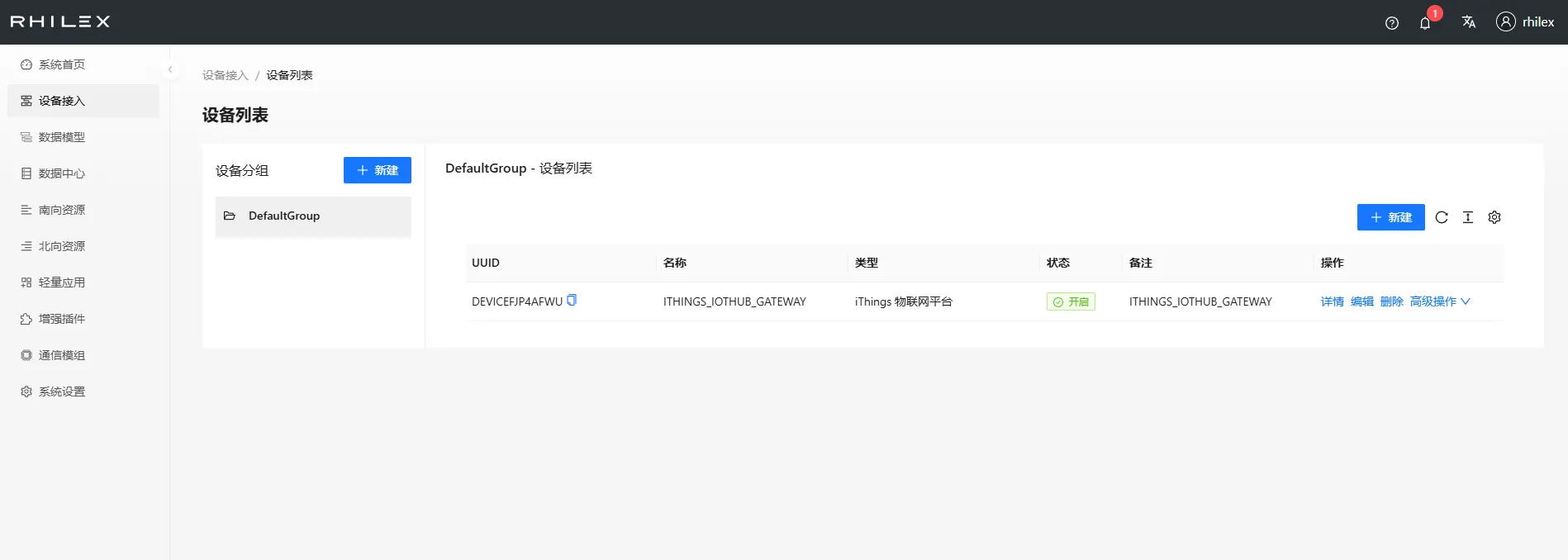
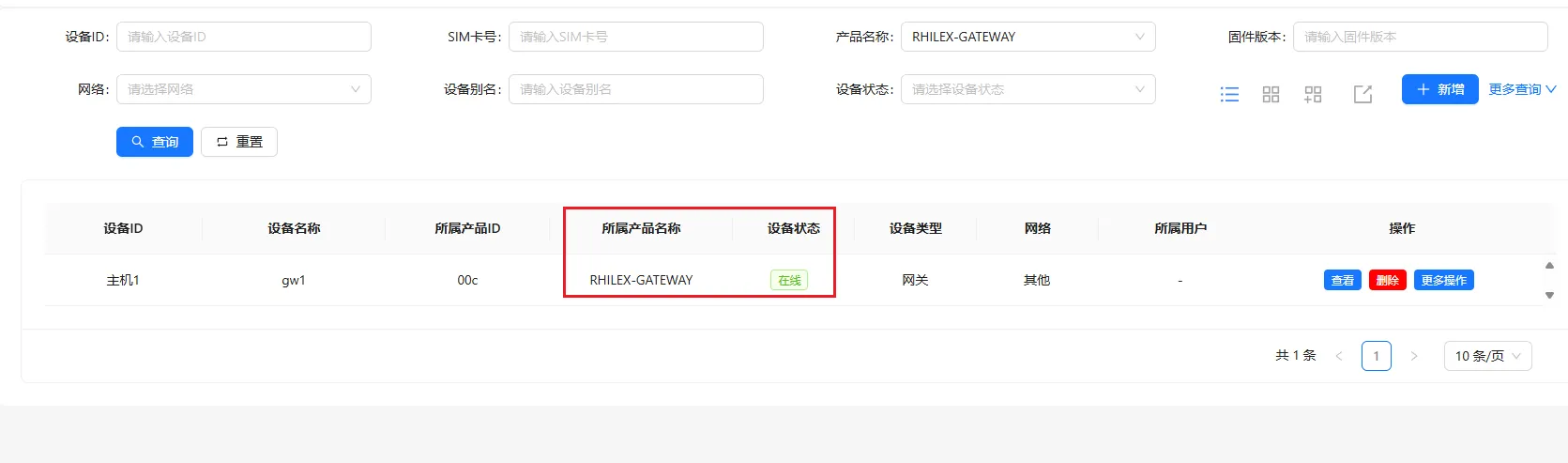
同时联犀管理后台也会提示上线:
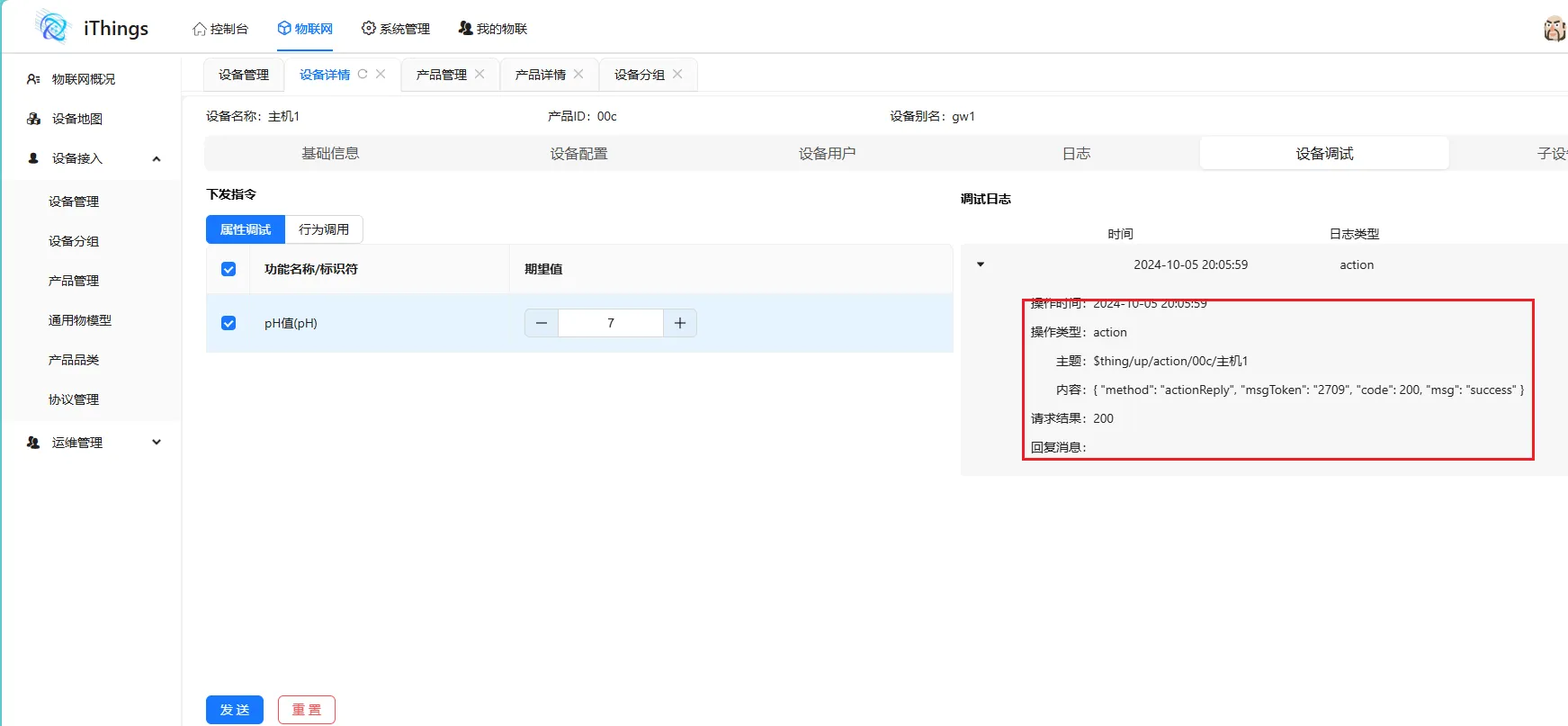
指令下发
在调试界面测试指令下发效果:
指令下发响应
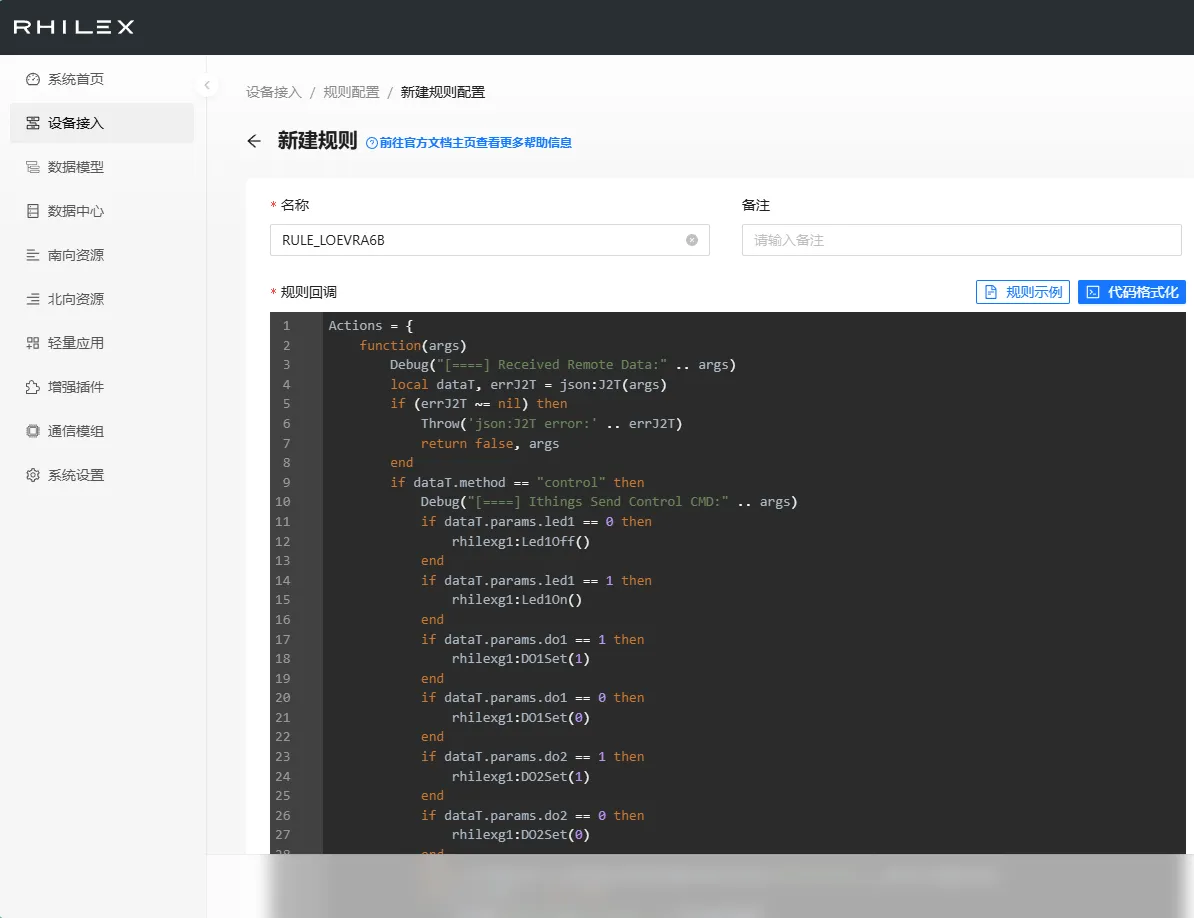
当联犀下发指令的时候,可以通过配置回调函数来执行,下面的示例是用来执行 IoTHub 的一个简单闪烁 LED 的指令:
Lua
Actions = {
    function(args)
        Debug("[====] Received Remote Data:" .. args)
        local dataT, errJ2T = json:J2T(args)
        if (errJ2T ~= nil) then
            Throw('json:J2T error:' .. errJ2T)
            return false, args
        end
        if dataT.method == "control" then
            Debug("[====] IThings Send Control CMD:" .. args)
            if dataT.params.led1 == 0 then
                rhilexg1:Led1Off()
            end
            if dataT.params.led1 == 1 then
                rhilexg1:Led1On()
            end
            if dataT.params.do1 == 1 then
                rhilexg1:DO1Set(1)
            end
            if dataT.params.do1 == 0 then
                rhilexg1:DO1Set(0)
            end
            if dataT.params.do2 == 1 then
                rhilexg1:DO2Set(1)
            end
            if dataT.params.do2 == 0 then
                rhilexg1:DO2Set(0)
            end
            local errIothub = IThings:ActionReplySuccess('OUTSKGLIQJX', dataT.msgToken)
            if errIothub ~= nil then
                Throw("data:ToMqtt Error:" .. errIothub)
                return false, args
            end
        end
        return true, args
    end
}
同时 RHILEX 的 Debug 窗口也会打印出来日志:
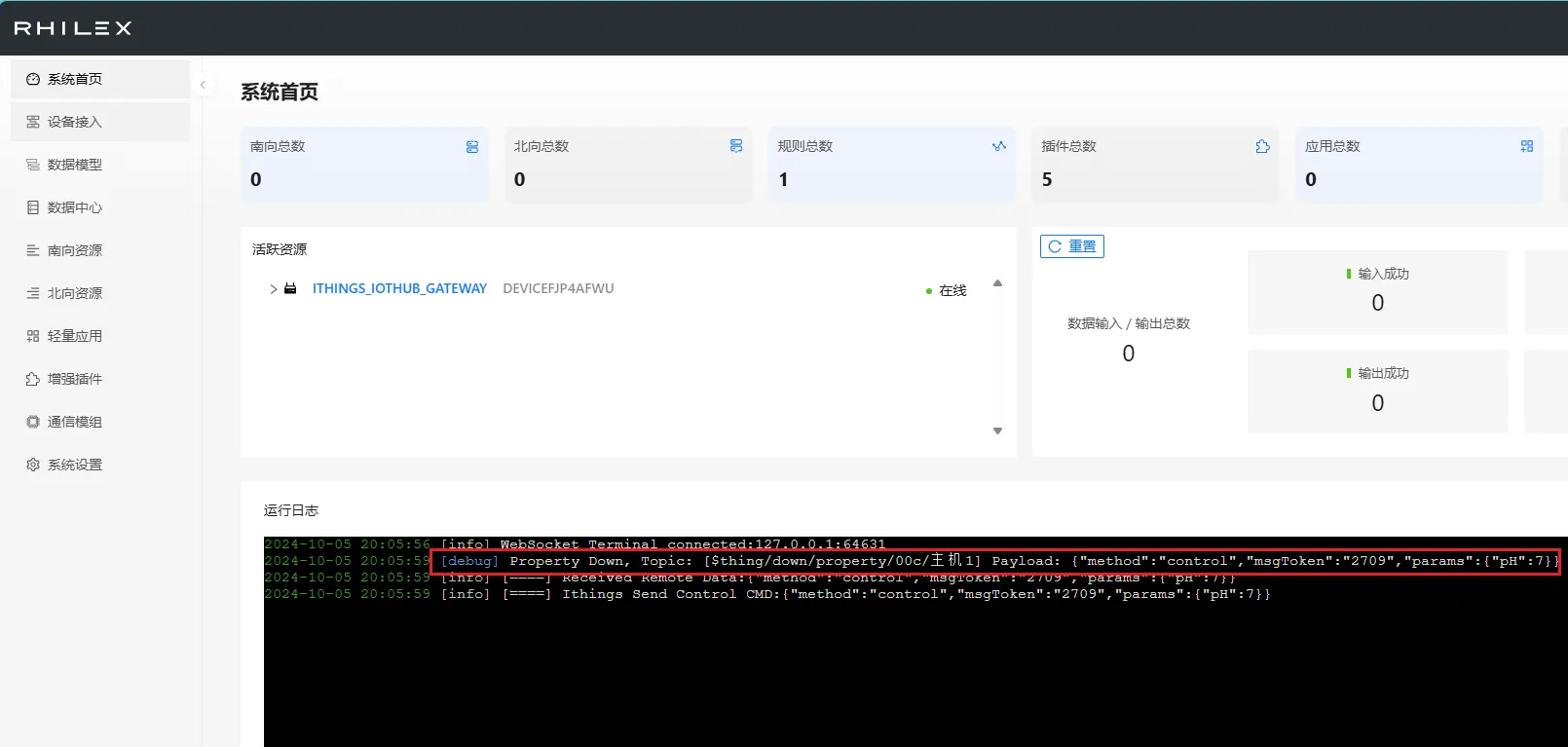
该示例仅仅在 rhilexg1 网关内有效,具体的设备操作接口有所不同。
数据上报
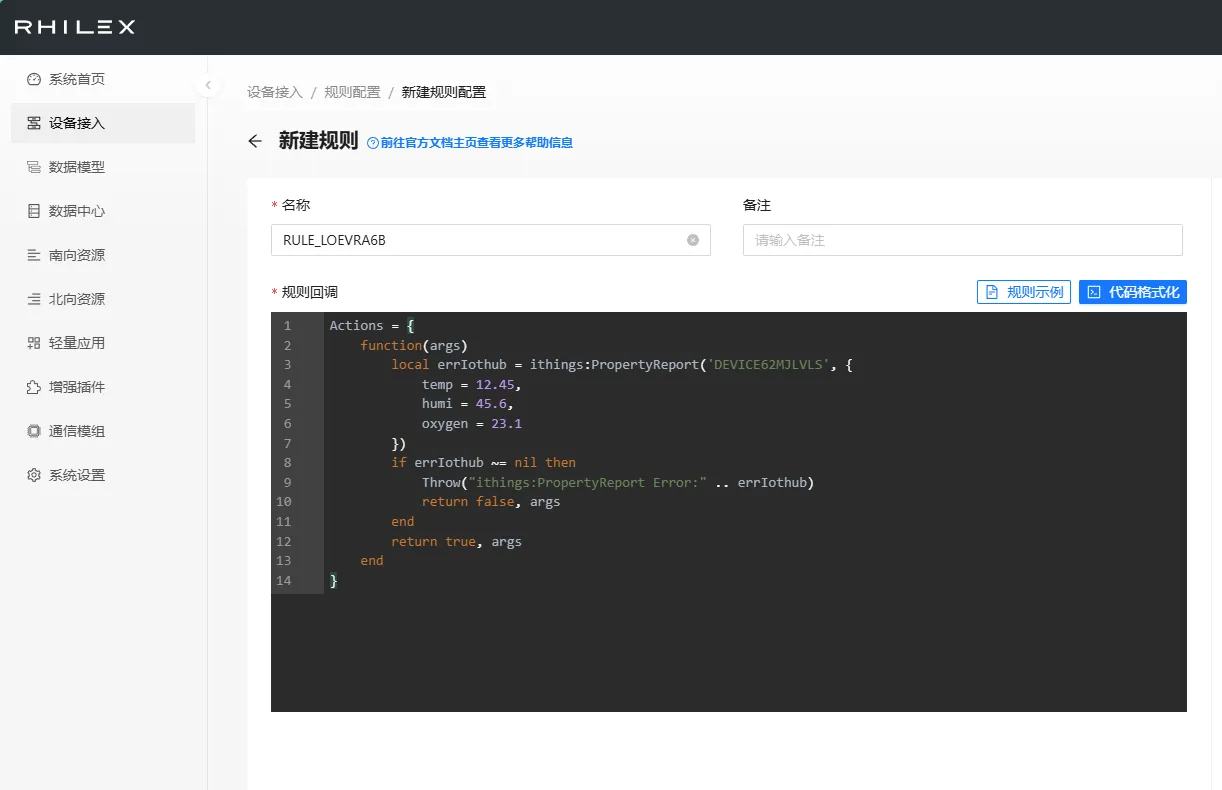
数据上报也可以通过脚本来实现,下面是个简单的示例:
Lua
Actions = {
    function(args)
        local errIothub = iThings:PropertyReport('DEVICE62MJLVLS', {
            temp = 12.45,
            humi = 45.6,
            oxygen = 23.1
        })
        if errIothub ~= nil then
            Throw("iThings:PropertyReport Error:" .. errIothub)
            return false, args
        end
        return true, args
    end
}
上报的数据示例:
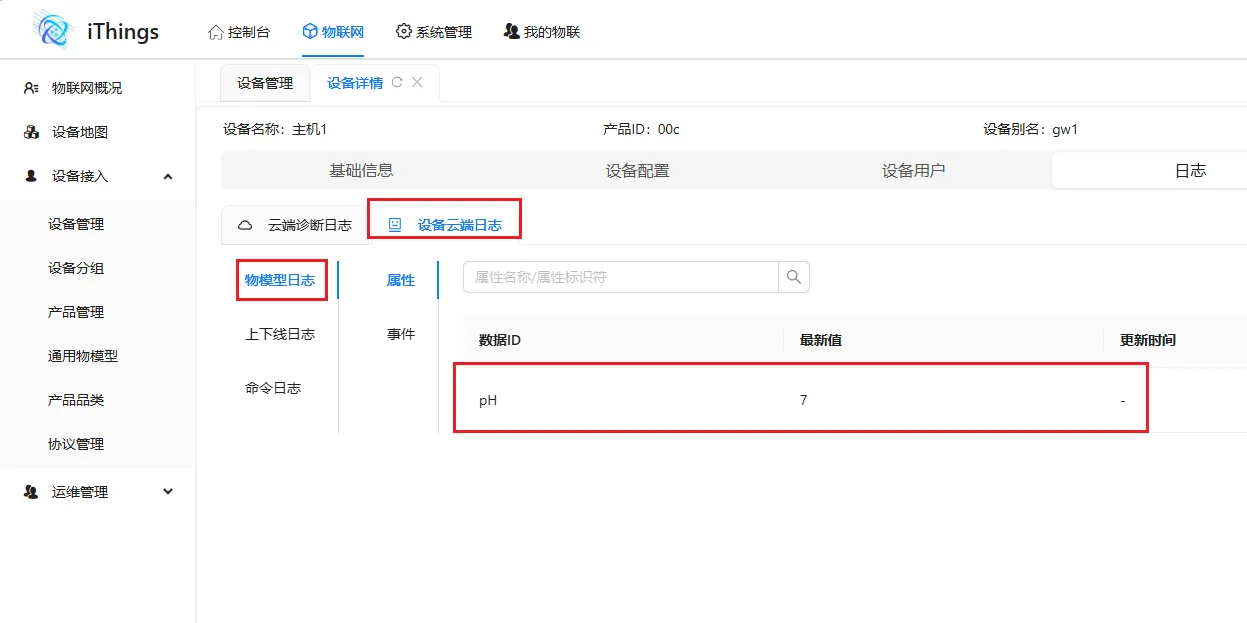
需要提前在联犀系统内建好物模型。
注意事项
- 本次实验用到的设备为 RHILEX Pro1 边缘计算网关(https://www.hootrhino.com/ecosystem )。
- 具体的设备级 IO 接口操作函数不是通用的,比如 rhilex pro1 就没有 GPIO。